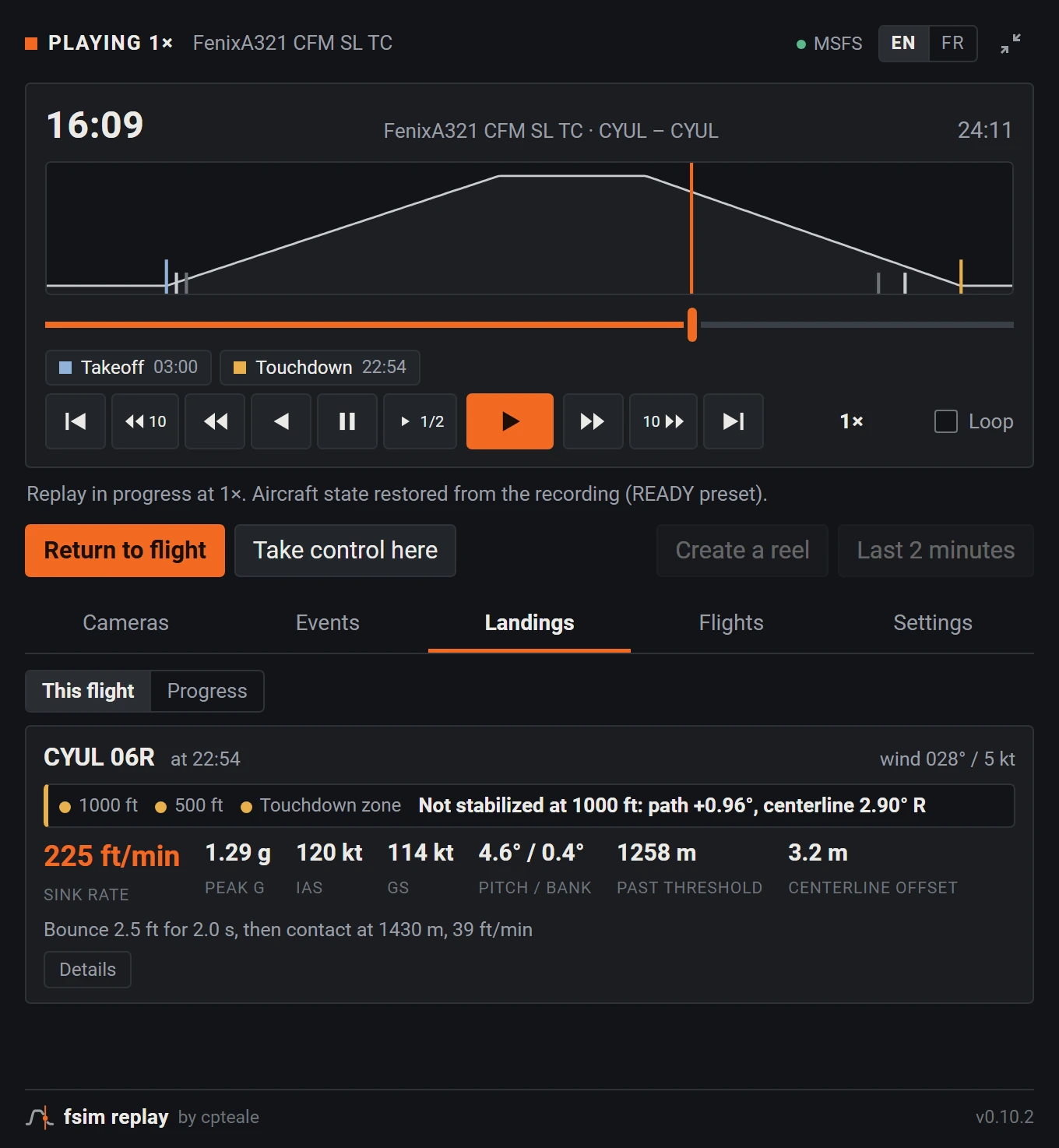
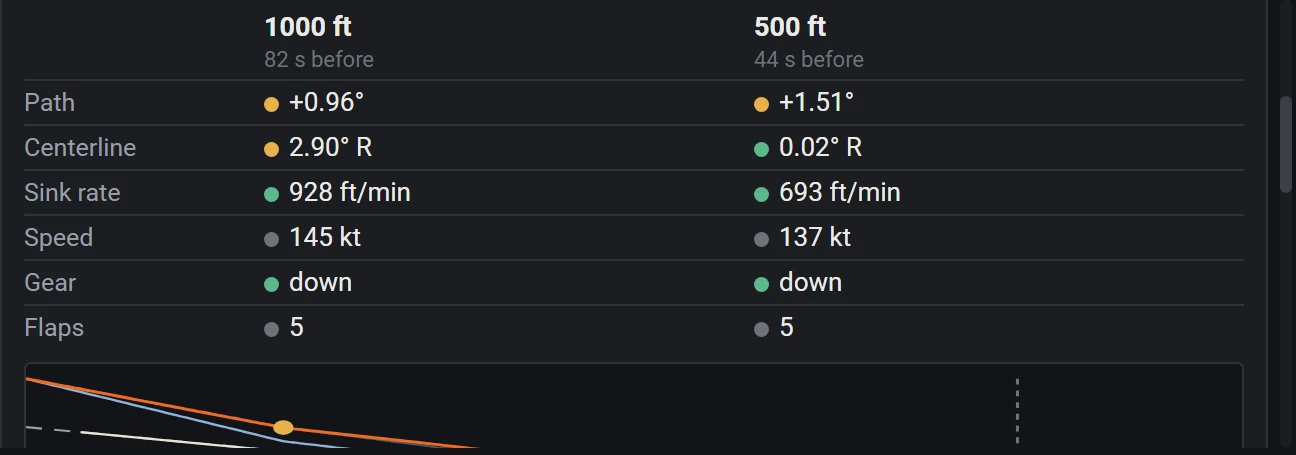
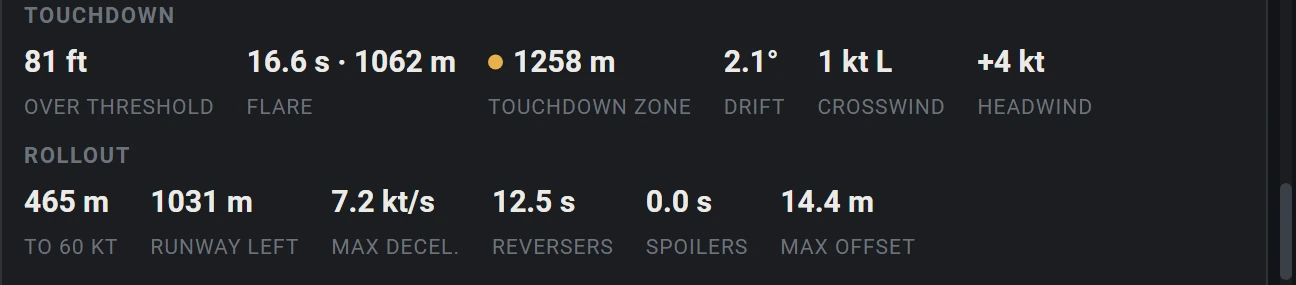
- The best landing of your career. No witnesses.
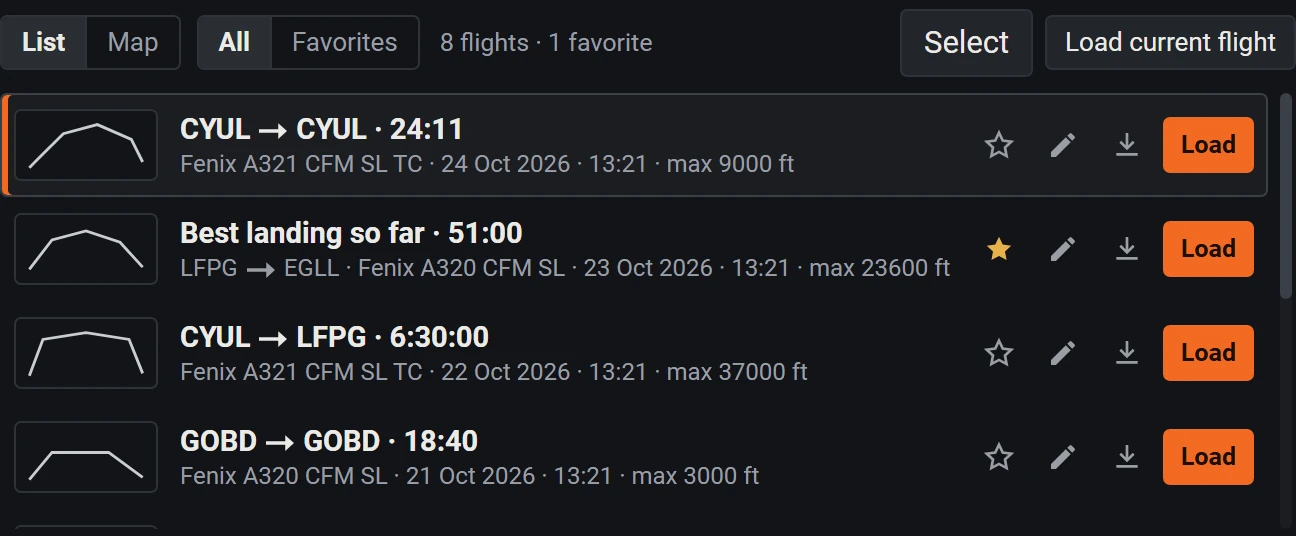
- Recording no longer depends on your memory. Every flight records itself as soon as it loads.
- Instant replay has the memory of a goldfish.
- We keep the whole flight. “Last 2 minutes” is one click or a shortcut away, even mid-flight, and the full flight stays in your library.
- Your A320 lands gear up. In the replay, at least.
- Every aircraft is covered. Each one records and replays. On the Fenix A319, A320 and A321, our profiles also bring back gear, flaps, engines and lights, and the Cessna 172SP G1000 has its own profile too. For yours, “Check this aircraft” replays your last 30 seconds and tells you what to expect.
- The autopilot flew the leg. The replay didn’t get the memo.
- It doesn’t matter who had the controls. FSim Replay records what the aircraft did, 20 times per second, not what your hands did.
- Three hours of cruise to get through for thirty seconds of final.
- Straight to the good part. The replay opens on the flight, Takeoff and Touchdown are one click away, and “Replay touchdown” shows the landing from the tower.
- The sim crashed. Your recording went with it.
- Your flight no longer goes down with the sim. FSim Replay runs on its own and writes to disk continuously: no save step to forget, and a crash doesn’t take your flight with it.
- You wanted another look at your flare. You lost your flight.
- The way back is built in. A snapshot taken before the replay puts your aircraft back where it was. FMS, fuel and weather are not restored, so a quick look around the cockpit is in order.
- Record everything? Your disk never agreed to this.
- It won’t notice. About 25 MB per flight hour, measured on real Fenix flights, with a 5 GB cap by default. Past it, the oldest flights go first and favorites stay.